AI Flashcard App Builder to Create Your Flashcard App in Minutes
Create a Flashcard app with AI or use drag-and-drop Flashcard app maker.
Flashcard App
- Contact
- Social Media
- App Analytics
- Rating and Review
- 24/7 Support
- Push Notifications
You get more than just an App with Appy Pie App for free

Free Professional Domain Name
Choose a free domain name that aligns with your business, brand image, and offerings. For every website you make, we will give you a complimentary domain name of your choice.

Free Web Hosting Service
Get free hosting for your brand-new website and you don’t have to do anything. Your free website hosting will be automatically set up as soon as you publish your website online.
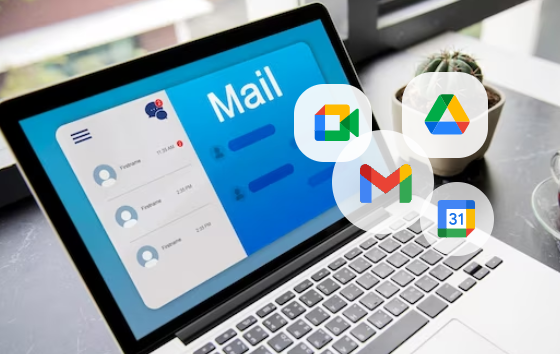
Free Business Email Powered by Google Workspace
Send all official communication from a custom professional email address to match your domain name & get free access to Google Workspace for every custom website you create.
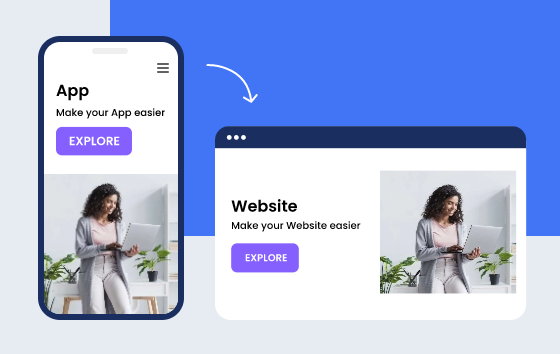
Free Website to Match Your App
Get a website that matches your mobile app for free and create a well-rounded online presence providing multiple ways to connect with your target audience and loyal customers.
How to make your own Flashcard App in three easy steps?
Follow these steps to create a Flashcard app for Android and iOS:
Name your app and brand icon
Select a color scheme and add your brand’s logo.
Add your favorite feature to your flashcard app
Create your own flashcard app without any coding
Test your flashcard app
Preview and publish your app on Apple App Store and Google Play Store.
Make free flashcard app using Appy Pie AppMakr
Create your own Flashcard app, and launch it on multiple platforms with Appy Pie’s app builder. Our app builder allows you to build a powerful flashcard app in just a few clicks and that too without coding. You can choose your own theme for your flashcards app to make it unique and colorful. Appy Pie’s flashcard app builder supports more than 200 features including In-App Purchases, Push Notifications, and much more.
The Appy Pie app builder supports features like in-app purchases, push notifications, and much more. Creating apps is easy, and you can start your first project within minutes by picking a template, customizing it, adding your own images and texts, and publishing it directly to the app stores.
Whether you want to create an iPhone flashcard app or an Android flashcard app, Appy Pie app builder lets you build a highly compatible app within a few clicks. Our app builder helps you create feature-loaded flashcard creator apps that can help every app downloader to make flashcards on their own. To make a flashcard app that is amazing and easy to use, just log in to Appy Pie and get started today.
Features to Include in Your Flashcard App
No matter whether you are creating a flashcard app for yourself or for business purposes, there are certain features that you must include in your flashcard app. They are:
Contact
The Contact feature allows you to display your office address, company email, and phone number, among other information, allowing users to contact you immediately in an emergency. Your app users will be assured of your genuineness if you include all your contact information.
Social Media
The social sharing feature allows you to showcase your works across several social media platforms. Use this feature, and let your followers share your creative works with their friends and followers.
App Analytics
App analytics provides clear insights into user behavior, allowing entrepreneurs to make required modifications to the app based on the preferences of their users and improve their experience like never before.
Push Notifications
Push notifications allow you to send out alerts and information to your app users through your app. You can send news, updates, and notifications for any news and updates.
Rating and Review
Allow app users to feel appreciated. It enables users to rank and comment on their own experiences. This is a fantastic approach for a firm to get feedback and identify areas for improvement.
Pick An App Template You Love
Whatever kind of app you want to create, you will find a template that matches your imagination. Just select your favorite template and easily customize it to fit your requirements, making a unique mobile app that blows out the competition. Such pre-designed app templates act as a firm base for your application, thus saving you precious time and effort. With the feature of easy drag and drop provided by Appy Pie no-code platform, you can modify the chosen template by shifting elements, changing color schemes including your brand elements to give it a unique look and feel as you desire.


Why choose AppMakr to build a flashcard app?
Appy Pie’s app builder provides a full-featured, professional solution for building flashcard apps. With Appy Pie’s app builder you can build a flashcard app in minutes without any coding knowledge. Appy Pie provides the drag and drop tools for you to create an app just like you want to.
Choose from thousands of different templates to build flashcard apps for education, business, productivity, games, and more. With AppMakr, you can build your app once and publish it on all major app stores including the Apple App Store and Google Play. Here is why you should use Appy Pie’s flash app maker to create a flashcard app::
Easy to Use Interface
Appy Pie has made our flashcard app builder very user-friendly so that everyone from a newbie to an experienced developer can use it.
Thousands of Templates
Add a variety of attractive templates with options to tweak them so that your app users can create their own flashcards within a jiffy.
Highly Customizable
You can customize a flashcard app in any way you want. You can change the background color, font color, font size, and more.
Multiple Languages
Offer your users the feature to make flashcards in their own language by adding the multi-language feature to your flashcard app.
Unlimited Features
Our app builder offers lots of features and you can add them all to your app. There are no hidden costs.
Cloud Space
Let users neatly categorize and organize their flashcards in folders and subfolders in cloud storage offered by your flashcard app.
Collaboration
To create a variety of flashcards with the help of team members, allow users to collaborate and create flashcards with the help of your app.
Safety and Security
Assure your users that the information they add to their flashcards is completely safe as your app is compliant with safety standards.
24/7 Support
Get unrestricted access to our specialists, who can assist you with any questions or difficulties you may have with our no-code app development platform.