AI Blog Website Builder to Build Your Blog Website in Minutes
Create a Blog Website with AI or use drag-and-drop Blog Website Maker.
Build News Websites
- Free Domain
- Free Google Workspace
- Free Mobile App
- Offline Capabilities
- Safe & Secure
- 24/7 Support
You get more than just a website with Appy Pie Website for free

Free Professional Domain Name
Choose a free domain name that aligns with your business, brand image, and offerings. For every website you make, we will give you a complimentary domain name of your choice.

Free Web Hosting Service
Get free hosting for your brand-new website and you don’t have to do anything. Your free website hosting will be automatically set up as soon as you publish your website online.
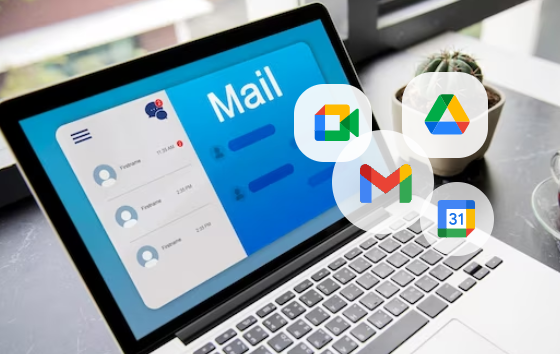
Free Business Email Powered by Google Workspace
Send all official communication from a custom professional email address to match your domain name & get free access to Google Workspace for every custom website you create.
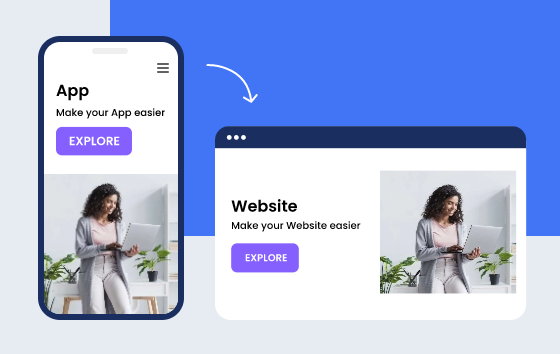
Free App to Match Your Website
Get a free mobile app that matches your website and completes your online presence with multiple ways to reach your customers without breaking the bank or hiring new resources.
How to Make a Blog Website Using AI Blog Website Builder?
Follow the steps below to make a blog website using Appy Pie’s AI Blog Website Builder:
- STEP 1
-
Enter a Detailed Text Prompt
Describe in detail the kind of blog website you want to make using AI.

- STEP 2
-
Edit & Test Your Blog Website
Edit your blog website and test it on all the popular browsers and devices.
- STEP 3
-
Take Your Blog Online
Connect your domain name and launch your blog website in minutes.
How to Create a Blog Website in 3 Steps With No Coding?
Here are the three steps to create a blog website without learning to code:
- STEP 1
-
Input Your Website Name
Enter the blog name or the name of your business, then choose a color theme and layout.
- STEP 2
-
Add Desired Features
Drag and drop the relevant features and pages into your blog website and make the necessary changes as needed.
- STEP 3
-
Test & Publish
Test your blog on multiple browsers, connect it to a domain name, and publish it online.
What pages are important for a Blog Website?
Blog website is a social media platform where content is presented in reverse chronological order. One can design a blog website in many ways. Blogs are run by an individuals or a small group of people to present information in a conversational style.
-
Sign up
A blog website must have a sign-up page to get the users registered and give them access. Sign-up page is important for any website to keep the record of the basic details of the users and to make them aware of the services and features the website is providing.
-
Insights
Having an insights page in a blog website is essential. Keeping an insight is the best way to help users check out the insights and visions of the authors.
-
Vlog
A web log or blog that uses video to present information is called a vlog. It is necessary to add a vlog page to make the users can view videos. Vlogs can be helpful in promoting your brand by providing a human face to your company. Vlogs are excellent way to establish yourself as an expert in your field.
-
Reviews
Reviews of readers will be published on this page. Reviews are important as they help boost customer loyalty towards a brand. A person who takes the time to leave a positive review on the blog is likely to come back for more business and reading.
-
About Us
About Us page is an important page for a Blog website you need to figure out your company’s unique identity. Stories which humanize your brand can go on this page. Every company has a story to tell, so break out your storytelling skills.
-
Top Picks
Blog websites tend to have thousands of blogs. A page dedicated to your best and most popular blogs will help new visitors on your website get accustomed to your writing style and structuring. It also helps you showcase your best articles and more.
Pick A Website Template You Love
Appy Pie’s AI-powered Website Builder has a rich library of brilliantly designed website templates to inspire your next unique website design. Find a design you like and edit it to make it your own!


Why you should use Appy Pie’s AI Website Builder for a Blog Website?
-
Codeless Development
Code is never required to build a website with Appy Pie website builder. Making things easier, pages can be added by simply dragging and dropping.
-
Light Websites
Appy Pie helps in creating fast opening and light websites ensuring a seamless user experience. Fast-opening websites are SEO friendly and improve ranking on Google.
-
Customer Support
Appy Pie provides instant customer support in the form of tutorials, FAQs and guides, in case something arbitrary takes place.
-
Time Friendly
Developing a website from scratch requires a dedicated team of developers and is an expensive affair. With Appy Pie, a new website can up and running within hours.
-
SEO Friendly
Appy Pie AI Website builder creates SEO friendly websites and making them rank well on Google.
-
Purchase your own domain
Appy Pie’s Smart Assistant helpsyou in buying your own domain.
Why you need to make a Blog Website using AI?
As the internet becomes more and more ingrained in our day-to-day lives, the benefits of blogging or building a blog website are impossible to ignore. The popularity of online blogs continues to rise with time. Blogging helps you share your passion; voice your ideas, thoughts, and feelings.
A blog can also help build awareness, share knowledge with others and discuss important issues. Blogging is also a good way to earn an income and grow your online network through followers, promoters, and sponsors. A blogging website is one of the best ways to create an online presence.
Start Your Blogging Journey With Your Own Blog Website
When you start your journey of creating your own blog website, it also presents a remarkable opportunity for you to establish a digital presence that resonates with your unique voice, passions, and expertise. This transformative step allows you to craft a platform that serves as a canvas for your thoughts while connecting you with a global audience.
The blog website becomes a personalized space for you to explore your creative abilities while retaining complete control. You wield complete control, and decide the design, layout, and content, enabling a reflection of your individuality. It’s a creative space where your ideas flourish, expressed through multiple popular content formats including articles, videos, podcasts, or captivating visuals – catering to the diverse preferences of your audience.
Apart from being a space for creative expression, your blog establishes you as a figure of authority in your niche. As you consistently share high-quality content, you also cultivate credibility, attracting an engaged readership that seeks your insights and expertise. This recognition can lead to partnerships and collaborations within your industry, amplifying your influence.
What truly sets a blog website apart is its ability to foster a sense of community. Direct engagement with your audience through comments, forums, or dedicated community sections creates avenues for meaningful discussions and the forging of bonds among readers. This interaction nurtures a loyal readership, turning passive consumers into an active community that engages and contributes constructively.
There are ample monetization opportunities in the world of blogs. Through advertising, affiliate marketing, sponsored content, or premium subscriptions, your blog can become a dynamic hub for multiple lucrative revenue streams. It is this financial sustainability that enables you to continue sharing valuable content while supporting your endeavors.
Optimizing your blog for search engines enhances its visibility, attracting organic traffic and widening your audience reach. Seamless integration with social media platforms further amplifies your content, leveraging cross-platform promotion to drive traffic back to your website. Leveraging analytics offers insights into reader behavior, helping tailor content strategies to better serve your audience. Additionally, your blog transcends geographical barriers, offering valuable insights and perspectives to a global audience, and fostering an international readership.
Ultimately, your blog website isn’t more than just a platform for sharing content. It is a digital home that encapsulates your identity, engages communities, and acts as a springboard for growth and influence within your chosen niche or industry.
Explore all the ways you can build a more effective Website
Top Frequently Asked Questions
Here is how you can create a blog website without any coding –
- Go to appypie.com, select Website and click on Get Started or go to Appy Pie Website and click on Get Started
- Enter the business name and click on Next
- Select the category that best meets your business needs
- Pick a color scheme of your liking
- Click on Save & Continue
- If you own an Appy Pie account, login, else create an account
- Please wait while your blog website is getting ready. It is the mobile version of your website.
- Click on Preview Website
- On this page, you will get 2 options – ‘Back to My Website’ and ‘Configuration’
- Click on ‘Back to My Website’ and it will take you to My Websites page
- Click on the ‘View More’ tab next to your blog website name
- You will be taken to the Website Overview Page. Click on ‘Edit’
- You will be redirected to the design customization section. Here you can modify the visual appearance of your blog website and add your preferred features
- Click on Save & Continue
- Click on ‘Configuration’ to connect the website with the domain
- Buy a new domain or connect with your existing domain and launch your blog website in no time
You can start a blog with Appy Pie’s Blog Website Builder.
Here are the top 5 best websites to create a blog –
- WordPress
- Weebly
- Joomla
- Appy Pie
- Blogger
Start your own blog website with Appy Pie’s Website Builder. Here are a few effective ways of making money using your blog website.
- Use affiliate marketing on your blog
- Sell your blog’s newsletter space
- Add banner adverts to your blog website
- Write sponsored content
- Create guest blog posts for media outlets
- Charge for sponsored social media posts
- Take help from agency to build your blog
- Sell digital products on your blog
You can create a blog website under free trial plan using Appy Pie’s Website Builder.